Guide
How to read Japanese Kindle manga in English without leaving Kindle Cloud Reader
If you buy Japanese manga on Kindle, the hardest part is not always finding the book. It is staying in the story once the page opens.
You can pause, copy words into a dictionary, switch to a translation app, or compare the page with another tab. That works for a line or two, but it breaks the reading flow. Manga pages are visual: vertical dialogue, tiny side text, handwritten lettering, and panel order all matter.
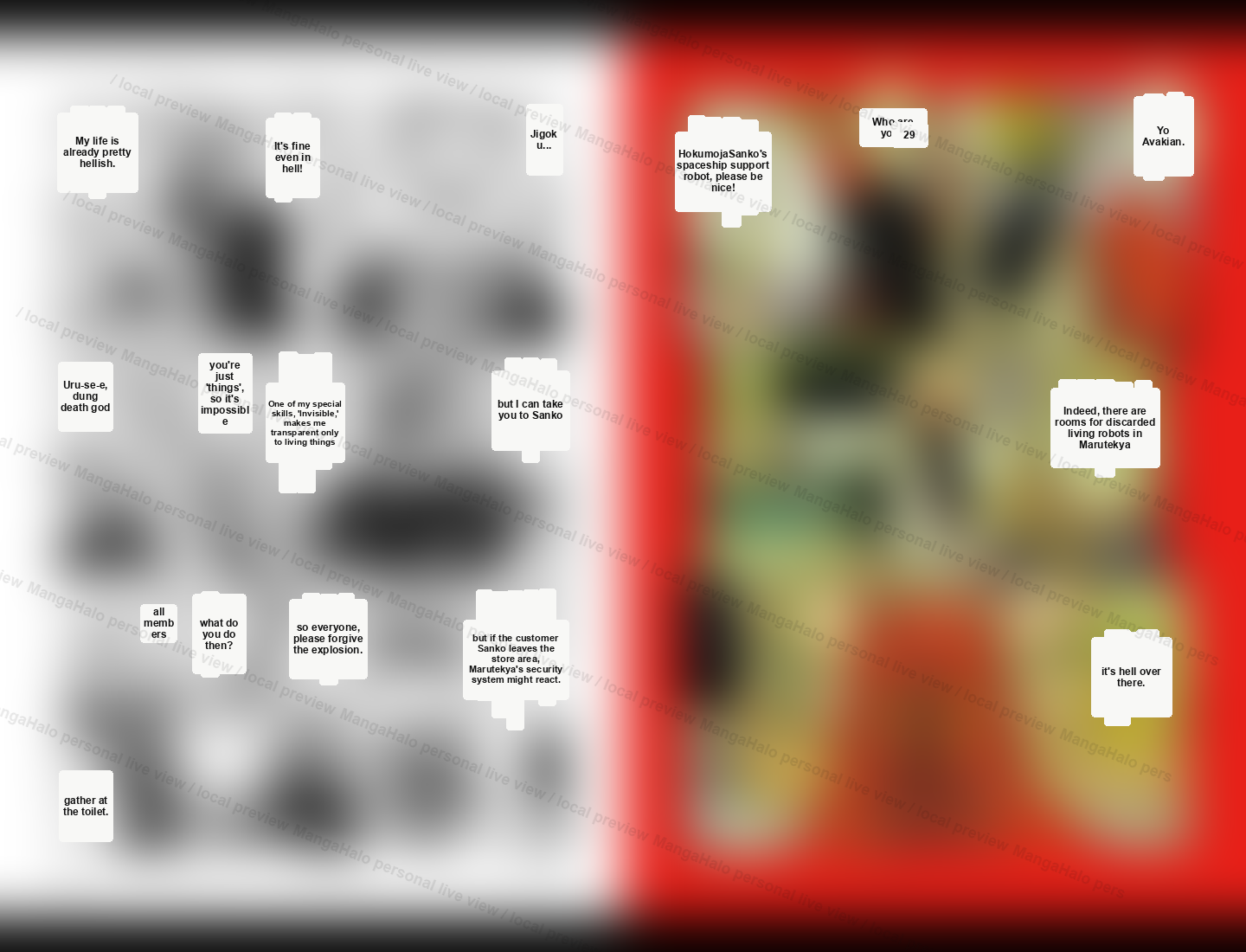
MangaHalo is built for a simpler flow: open the Japanese manga page in Kindle Cloud Reader, click MangaHalo, and read with a temporary English layer on the page you already have open.
Quick answer
To read Japanese Kindle manga in English:
- Open a purchased Japanese manga in Kindle Cloud Reader.
- Click MangaHalo in Chrome.
- Read the current page with a temporary English overlay.
- Use the EN / JP toggle whenever you want to check the original Japanese.
MangaHalo is not a translated manga export tool. It is a live reading aid for the page in front of you.
When this helps most
MangaHalo is strongest when you can legally open the Japanese Kindle volume through Amazon.co.jp or another supported Kindle region, but the English ebook volume is still delayed, several volumes behind, region-limited, or not clearly scheduled.
If you are still checking whether the official Japanese Kindle edition is the faster route, start with the official access guide first: Official Japanese Kindle manga before the English ebook arrives.
It is not meant to replace official English releases or simulpub chapter services. It is for the moment when the exact Japanese Kindle volume is available to your account and you need temporary help reading that page.
Why Japanese Kindle manga is hard to read with generic translation tools
Japanese manga is not laid out like a paragraph of website text. A single page can include:
- vertical speech bubbles
- very small side comments
- stylized manga lettering
- dense panel layouts
- dialogue that depends on the page around it
Generic translation workflows often push you away from the reader. You end up switching tabs, comparing text manually, or losing your place. For manga, that friction matters because the artwork, pacing, and original Japanese page are part of the reading experience.
What MangaHalo does differently
MangaHalo keeps the reading surface in Kindle Cloud Reader.
Instead of turning the manga into a file task, MangaHalo adds a temporary English layer over the visible page. The original page stays available, and the EN / JP toggle lets you hide the English layer when you want to check the Japanese.
Built in Japan, MangaHalo is designed for Japanese Kindle manga, with special handling for vertical dialogue, small handwritten text, and stylized lettering common in manga.
What you need
- A Japanese manga volume that you can already open in Kindle Cloud Reader or Kindle for Web.
- Chrome with MangaHalo installed.
- The page you want to read right now.
MangaHalo works page by page. It is designed for single-page reading while you are already in the Kindle manga reader.
Step 1: Open the manga in Kindle Cloud Reader
Start from the actual manga page in Kindle Cloud Reader. This matters because MangaHalo is designed around the page you are reading now, not around a separate conversion workflow.
Step 2: Click MangaHalo
When the manga page is open, click MangaHalo and choose Translate page. MangaHalo prepares an English layer for the visible page and keeps you in the reader.
Step 3: Read with the temporary English overlay
Small English text appears on the page. Keep reading, then move to the next page when you are ready. If a line feels important or the English looks cramped, switch back to JP and check the original page.
What MangaHalo does not do
MangaHalo is designed for temporary, personal, on-screen reading.
It does not create:
- translated manga image exports
- PDF exports
- full-book text exports
- page archives
- shareable translated pages
The goal is to help you understand the page while you read, not to create a copy of the manga.
Who it is for
MangaHalo is useful if:
- you buy Japanese Kindle manga before an English edition is available
- you are learning Japanese and want to check difficult lines without leaving the page
- you want to keep reading instead of switching between a reader, dictionary, and translation tab
- you care about returning to the original Japanese whenever nuance matters
FAQ
Can MangaHalo translate Japanese Kindle manga into English?
MangaHalo helps you read Japanese Kindle manga in English by adding a temporary English overlay to the visible page in Kindle Cloud Reader.
Does MangaHalo work outside Kindle Cloud Reader?
MangaHalo is focused on Kindle Cloud Reader and Kindle for Web manga pages in Chrome.
Can I check the original Japanese?
Yes. Use the EN / JP toggle to hide the English layer and return to the original page.
Does MangaHalo export translated manga?
No. MangaHalo does not create translated image files, PDFs, full-book text exports, or page archives.
Is MangaHalo affiliated with Amazon or Kindle?
No. MangaHalo is not affiliated with Amazon, Kindle, or any publisher.
See it in action
Watch the Kindle demo to see MangaHalo add an English layer while the manga page stays open in Kindle Cloud Reader.